Turn your iPhone into a ring light
Halora is a ring light app for iPhone, iPad and Android. It turns the screen around the front camera into a soft ring of light that you can adjust, so selfies, video and a mirror look good even in a dark room. Halora is free to download, and Halora Pro is an optional upgrade.
Halora at a glance
| What it does | Lights your face from the phone screen: the front camera picture sits in the middle, and the screen around it becomes a ring of light. |
|---|---|
| Works on | iPhone and iPad with iOS or iPadOS 17 or later. Android 10 or later. |
| Free | Mirror mode. Photo mode with 5 saved photos a day and a small Halora watermark; the count starts again at midnight. All light controls. |
| Halora Pro | Video mode: clips of up to 60 seconds, with sound when you allow the microphone. No daily photo limit, and new photos without the watermark. |
| Price of Halora Pro | iPhone and iPad: $6.99 per month with the first month at $1.99 for new customers, or $19.99 once for Lifetime. Android: currently a one-time purchase on Google Play. |
| Light controls | Brightness from 0 to 100 %, colour temperature, ring width, six tints (Auto, Warm, Cool, Pink, Purple, Blue) and Light Match, which matches the ring to the light in the room. |
| One tap to the light | iPhone: Control Center button (iOS 18 or later), Lock Screen widget, Siri, Shortcuts and the Action Button on iPhones that have one. Android: Quick Settings tile and home screen widget. |
| Account | Not required. |
| Privacy | Camera frames are processed on the device. No ads, and no analytics, attribution or advertising SDKs. |
How do I turn my iPhone into a ring light?
Install Halora and open it. Halora shows the front camera picture in the middle of the screen and lights the screen around it as a ring. While Halora is open, it turns the screen up to full brightness and stops it from locking. Your usual brightness comes back when you leave the app.
- Get Halora from the App Store. It is free to download.
- Open it and allow camera access. After the first launch, Halora opens straight into the camera with the ring light on.
- Open the light controls to set brightness, colour temperature and ring width, pick a tint, or tap Light Match to match the light in the room.
- Choose Mirror to check your look, Photo for a selfie, or Video to record a clip with Halora Pro.
- Add the Control Center button or the Lock Screen widget, so the light is one tap away next time.
Does Halora work in a completely dark room?
Yes, that is what Halora is made for. In a dark room the screen is the light on your face, so hold the phone at arm’s length or closer and turn the brightness up. Beyond about a metre the light falls off quickly, so it lights your face, not the whole room.
More light on your face also means the camera has to brighten the picture less, which usually means less grain. Why your selfies look grainy at night explains what happens inside the camera.
Ring light app or front flash: which is better for selfies in the dark?
A light that stays on is easier to work with. A front flash lights up only at the moment the photo is taken, so you cannot see or adjust the light first. A ring light app such as Halora keeps the light on while you frame the shot, so you can make it warmer, cooler or brighter and take the photo when it looks right. It also works for video and as a mirror.
| Front flash | Ring light app | Clip-on ring light | |
|---|---|---|---|
| Light before you take the photo | No, only at the moment of capture | Yes, it stays on | Yes, it stays on |
| You set brightness and warmth | No | Yes | Depends on the model |
| Works for video and as a mirror | No | Yes | Yes |
| Something extra to buy and charge | No | No | Yes |
| How far the light reaches | Arm’s length | Arm’s length | Further, depending on the model |
Can Halora light my face on a video call?
Yes, from a second device. Halora’s light is only on while Halora itself is open, so it cannot light a call that runs in another app on the same phone. For a call on a laptop, open Halora’s free Mirror mode on your phone or iPad, stand it beside the webcam at eye level and turn the brightness up. It then works as a small light in front of your face.
On the phone you call from, Mirror mode still helps just before you join: check your hair and the light, then switch to the call. More fixes are in How to light your face for a video call.
Can I use Halora as a makeup mirror with light?
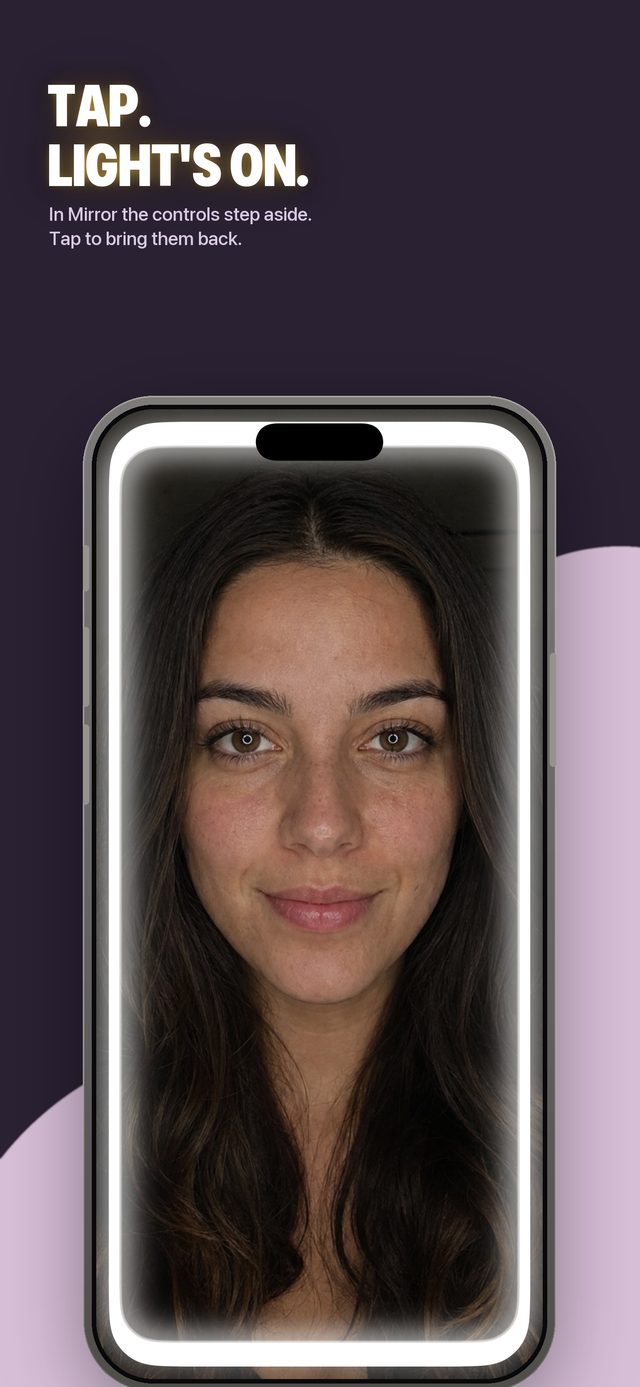
Yes. Mirror mode is free and shows your face with the ring light around it. After a few seconds the controls fade out, so only your face and the light remain, and a tap brings them back. Nothing is saved or uploaded. Switch between warmer and cooler light to see your makeup in both.
Is Halora free, and what does Halora Pro cost?
Halora is free to download. Mirror mode is free, and Photo mode saves 5 photos a day with a small Halora watermark; the count starts again at midnight. Halora Pro adds Video mode, lifts the daily photo limit and saves new photos without the watermark. On iPhone and iPad it costs $6.99 per month with the first month at $1.99 for new customers, or $19.99 once for Lifetime.
In Germany the same options cost €6.99 a month (first month €1.99) and €19.99. In the UK and other countries, the App Store shows the local price before you buy. The subscription renews automatically and can be cancelled in Apple Account settings at least 24 hours before the period ends. On Android, Halora Pro is currently a one-time purchase through Google Play, at the price shown there. What to check before you pay for a ring light app.
Is Halora available for Android?
Yes. Halora has been on Google Play since 9 October 2026, for Android 10 or later. It has the same Mirror, Photo and Video modes and the same 5 free photos a day. On Android, Halora Pro is currently a one-time purchase through Google Play. A Quick Settings tile and a home screen widget open the app in one tap.
Does Halora upload my photos or need an account?
No. Camera frames are processed on your device, and Halora has no server that receives your photos or videos. The app keeps your latest 50 captures in its own gallery, where you can delete them or save them to your photo library. No account is required, and there are no ads and no analytics, attribution or advertising SDKs.
Signing in is optional. The details are in the Privacy Policy.
What can a phone screen not do as a light?
A phone screen is a modest light. It lights a face at arm’s length or closer, not a room, and next to a bright window it adds little. Halora’s light is only on while the app is open, and a screen at full brightness uses more battery than usual. For a proper photo shoot, a lamp or a clip-on ring light gives more light.
Using your phone screen as a ring light goes through these limits in more detail.